From scattered feedback to ranked, ticket-ready work.
FeedbackFlow captures feedback from every channel, triages it with AI, answers questions about it, tracks how it changes, and files it in Jira or Linear. Here is everything it does today.
Every source your customers use, in one inbox
Drop in an in-app widget with one script tag and design it to match your product, then connect Slack, Intercom, and Zendesk. Feedback from every channel lands in one place instead of scattered across tools.
- One-tag widget. Describe how it should look and publish it. No CSS, no redeploy, plus an SPA identify API.
- Support tools included. Slack, Intercom, and Zendesk conversations flow in, not just your own widget.
- Optional email capture. Collect a reply-to address so you can close the loop later.
AI that sorts, dedupes, and ranks the pile
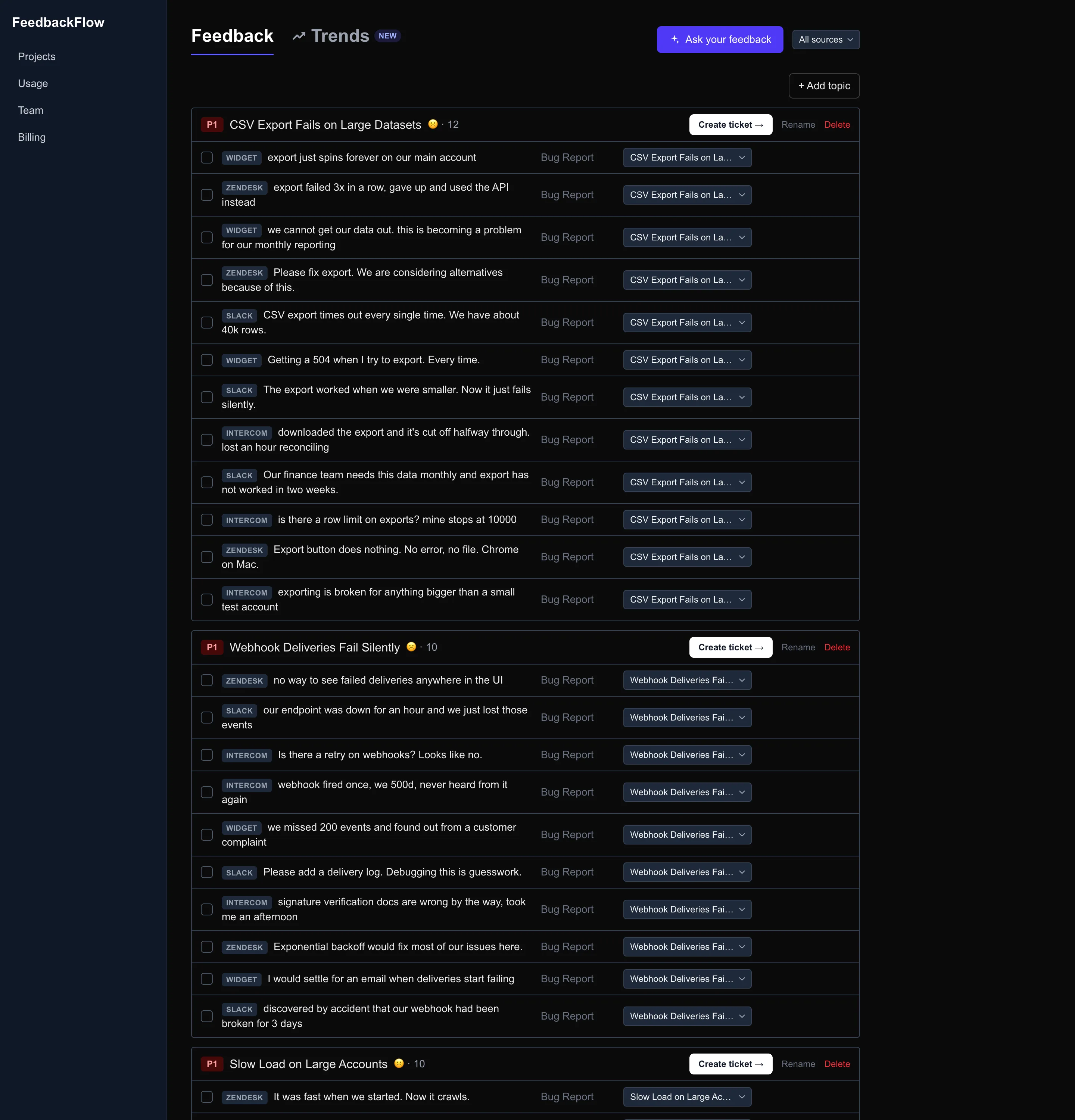
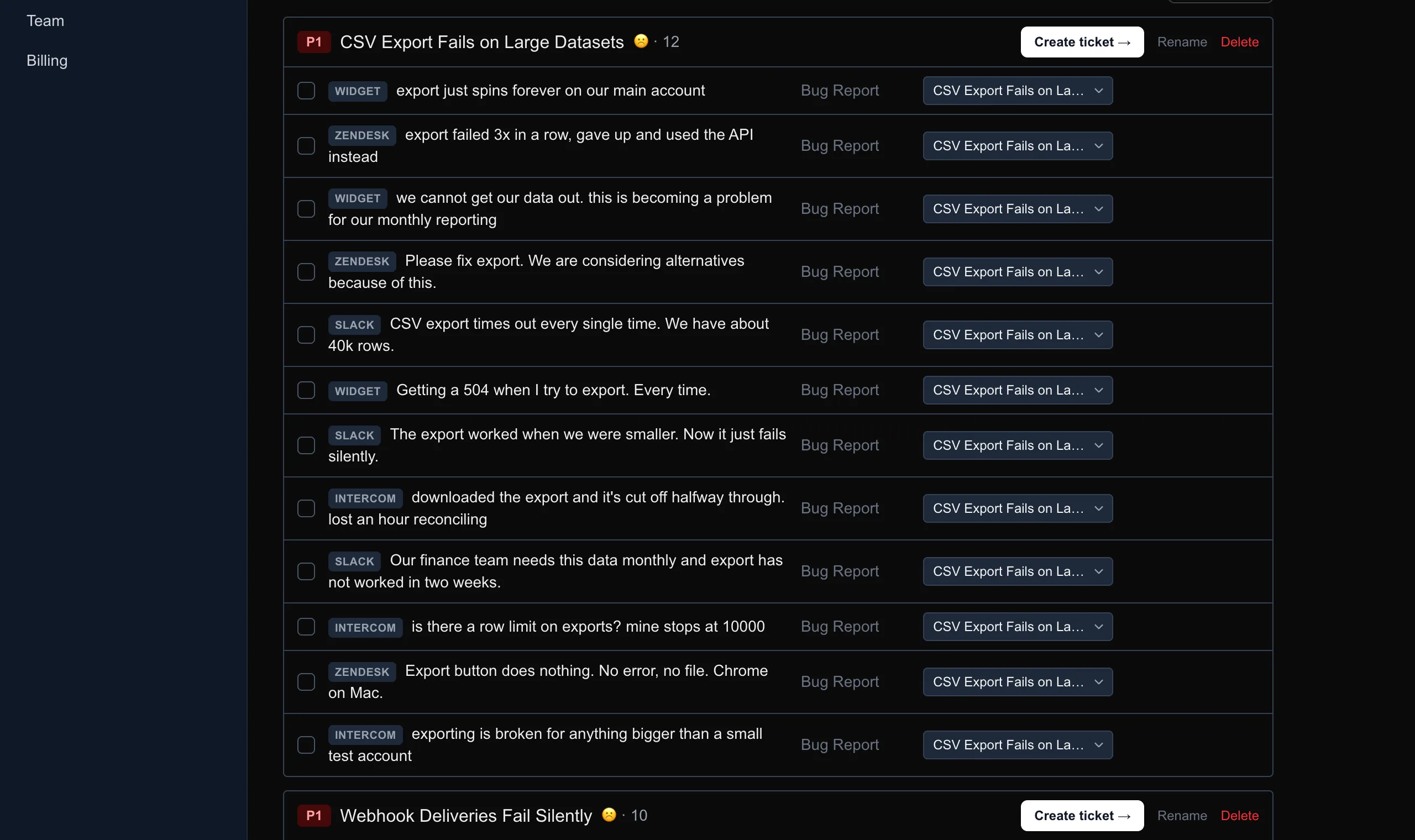
Every note is grouped into topics, checked for duplicates and merged, scored for sentiment, and ranked by priority. One click re-triages anything that came in before the AI or slipped past it.
- Topic grouping. Related notes collapse into themes you can act on.
- Duplicate merging. The same request from five people becomes one ranked topic.
- Sentiment and priority. Know what hurts most and what to look at first.
3 duplicates merged into Export reliability automatically.
Ask your feedback, get cited answers
Query the whole corpus in plain English. FeedbackFlow answers like an analyst who has read every note, with citations back to the exact feedback behind every claim, and it keeps the thread for follow-ups.
- Grounded in your data. Answers come only from your feedback, never invented.
- Every claim is cited. Trace each answer back to the notes it came from.
- Conversational. Ask follow-ups and dig in without starting over.
What are enterprise users unhappy about this month?
Two themes dominate: export reliability[1] and mobile login failures[2].
[1] "Export keeps timing out on large projects."
[2] "Login keeps failing on mobile Safari."
See what is trending before it is a fire
FeedbackFlow tracks each topic’s volume and sentiment over time, then surfaces what changed: a sudden spike, a brand-new theme, a sentiment slide, with a plain-English summary of the biggest shifts.
- Volume and sentiment over time. Per-topic trends, not just a static list.
- Spike and emerging-theme alerts. Catch a surge the week it starts.
- What changed, in one glance. A plain-English read on what moved.
What changed
Turn a topic into a ticket in one click
File any topic to Jira or Linear with a title, summary, and acceptance criteria drafted by AI from the underlying feedback. The work lands in the tracker your team already lives in.
- AI-drafted tickets. Title, summary, and acceptance criteria written for you.
- Jira and Linear. Push straight into the tracker you already use.
- Grounded in the notes. Every ticket is summarized from the real feedback behind it.
Multiple customers report exports failing on projects above ~10k rows. Summarized from 12 related notes.
Acceptance criteria
- Exports over 10k rows complete without timing out
- User sees progress while the file builds
- Failures surface a retry, not a silent error
Context comes attached, so you know who asked
Widget submissions capture the browser, OS, and page automatically, and feedback carries requester identity. Reproduce issues faster and follow up with the exact people who asked when it ships.
- Automatic technical context. Browser, OS, and page captured on every widget note.
- Requester identity. Know who asked for what, and who to tell when it lands.
- Less back-and-forth. The detail you would have to ask for is already there.
"The editor freezes when I paste a large table."
- Browser
- Chrome 128
- OS
- macOS 15
- Page
- /editor
What it looks like in use
A feedback widget that looks like your product
Describe how it should look, preview the real thing, and publish in a click. White label on every plan: no CSS, no redeploy, and no mark of ours on it.
Put the whole thing to work
Free plan. No credit card. Live in 2 minutes.